
ECE 1100 · GEORGIA TECH · SUMMER 2026
Desktop Room Control Panel
A desk knob that controls the light behind my monitor.
An Arduino Nano reads a potentiometer and drives a MOSFET to dim an LED strip. A room-control concept, narrowed down to one working feature.
01 / SCOPE
The Idea
- Original pitch: a desktop control panel with switches, knobs, and indicator LEDs for managing parts of my room, such as lighting and window curtains
- Given the time left in the semester, narrowed the pitch to one feature: a knob that controls the brightness of an LED strip mounted behind my monitor
02 / COMPONENTS
Key Parts
- Arduino Nano: a small microcontroller board that runs the code and controls the other components
- Potentiometer: a knob that changes its voltage output as you turn it
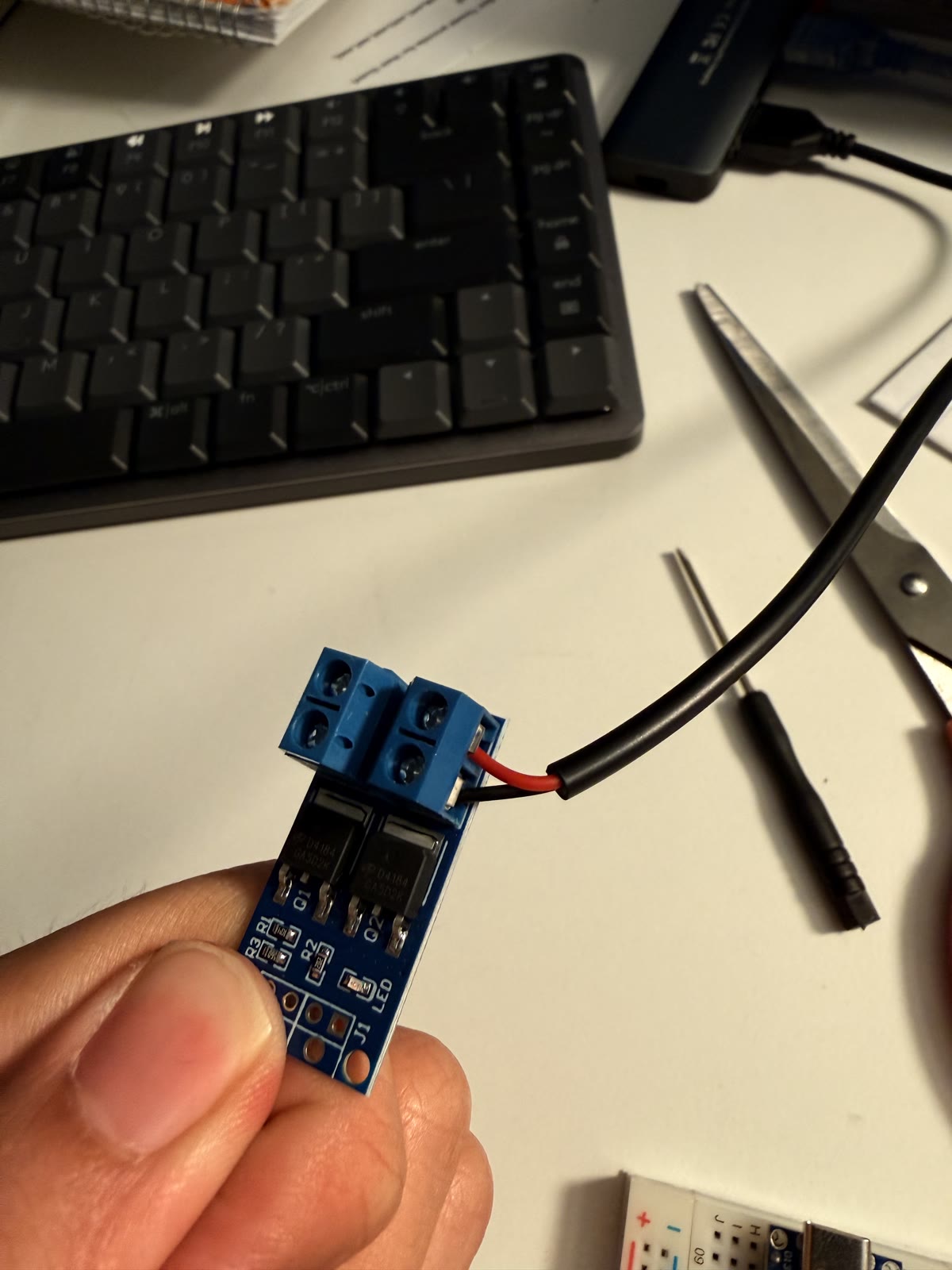
- MOSFET: an electronic switch that lets a small signal control a much larger flow of power
- PWM (pulse-width modulation): switching power on and off very quickly; fast enough switching looks like smooth dimming instead of flicker
- Breadboard: a board for wiring circuits together without soldering
- USB pigtail cables: short USB cables with bare wire ends for connecting into the MOSFET's screw terminals
03 / BUILD
The Progress
- The circuit has two sides: a low-power side that reads a potentiometer, and a high-power side that runs the LED strip off a wall charger through a MOSFET
- A microcontroller pin (max. 40mA, avg. 20mA) cannot supply enough current to power an LED strip (approx. 100mA - 3A) on its own, so the MOSFET sits between the Nano's control signal and the strip's power source


- Wired the potentiometer to 5V, ground, and an analog input pin, and the MOSFET's control pins to ground and a PWM output pin
- Firmware reads the potentiometer's position, turns it into a PWM signal, and sends that to the MOSFET, which sets the strip's brightness

04 / TROUBLESHOOTING
Successes and Failures
- MOSFET signal pins: bare through-holes instead of screw terminals. I bent each jumper wire through two of the three holes for PWM and ground so it would hook onto the module. Shaping the wires securely was harder than expected.
- "Not dimmable" LED strip: the listing said the strip was not dimmable, which refers to standard voltage dimmers. The PWM switching method I used works fine.
- Clone-board bootloader: the Nano is an ELEGOO clone. A troubleshooting source told me to select the older "ATmega328P (Old Bootloader)" option, but that made every upload fail; switching to the standard, newer bootloader setting is what actually fixed it.
- Unstable brightness: the strip pulsed brighter about twice a second at lower settings, pointing to a noisy signal rather than a bad strip. Fixed by reseating a loose ground connection and adding a digital low-pass filter, the software equivalent of an RC low-pass filter. Each update keeps 90% of the previous smoothed value and adds 10% of the latest reading.
- Reversed knob direction: turning the knob dimmed the strip backward from what felt intuitive. Fixed in software by reversing the output mapping instead of rewiring the potentiometer.
- Success: the core wiring, including the potentiometer input and the high-power charger-to-strip path, worked as planned on the first attempt.
05 / RESULT
The Outcome
- Turning the knob smoothly raises and lowers the LED strip's brightness in real time, with no visible flicker or lag
- Still a breadboard prototype with exposed wiring, not a finished enclosure


06 / LEARNING
ECE Skills Gained
- Reading analog sensor input and converting it to a control signal
- Using a MOSFET as a switch so a low-power signal can control a higher-power load
- Wiring and powering a circuit on a breadboard, including grounding
- Filtering noisy sensor data in software
- Uploading and debugging firmware on non-standard hardware
07 / REFLECTION
Final Thoughts
- Narrowing the scope was the right call: I ended up with one finished, working feature instead of an unfinished multi-feature panel
- The hands-on troubleshooting made Computer Engineering coursework feel more concrete: reading a sensor, picking the right component, and watching code change something physical
- Would like to keep building: add the switches and indicator LEDs from the original pitch once I am more comfortable soldering, and possibly the curtain-control feature